
- For Companies
- Time Off & Leave
How can I import employee leaves taken records?
Modified on: Mon, 12 Jan, 2026 at 3:09 PM
If the employee has completed the Approval process via our in-house OA and taken approved leaves, kindly proceed to Horizons Portal to import all recorded annual leave instances for the following reasons, but not limited to:
- Keeping the Horizons team updated on all leave statuses
- Statutory Leaves/Vacation premium
1. Go to the People tab in the left sidebar, choose the name of employee by click, and click View
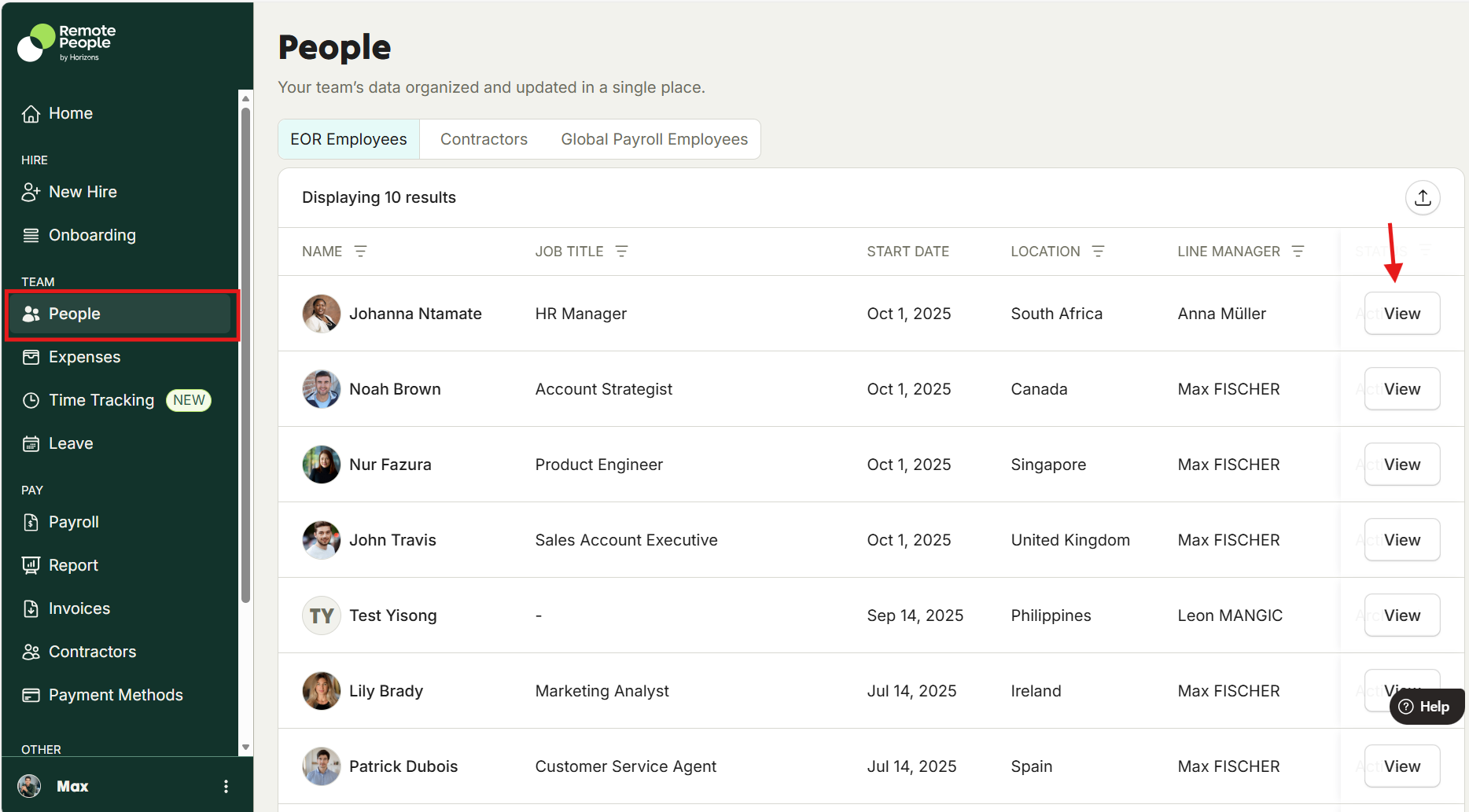
2. Select the Leave tab.
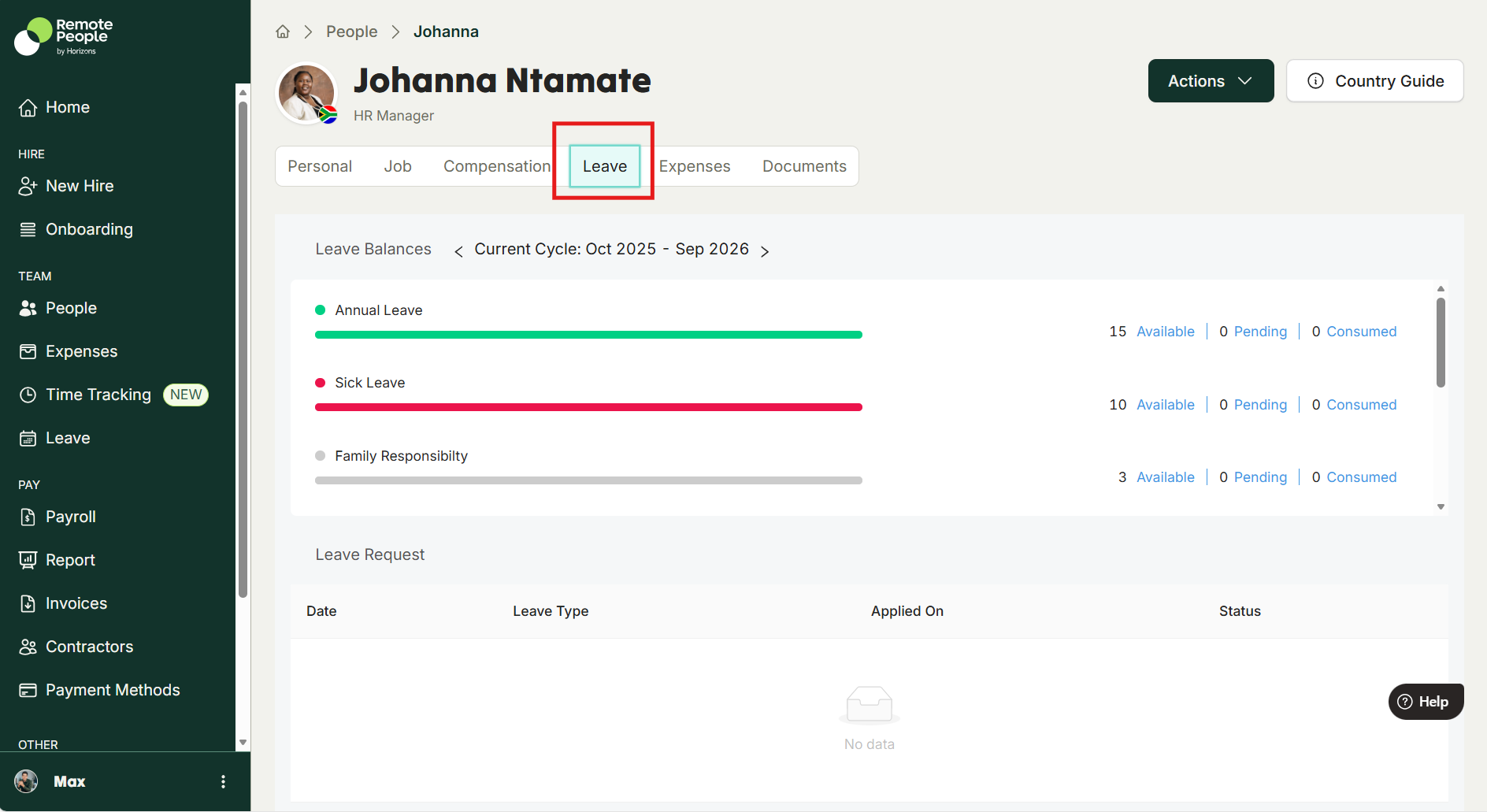
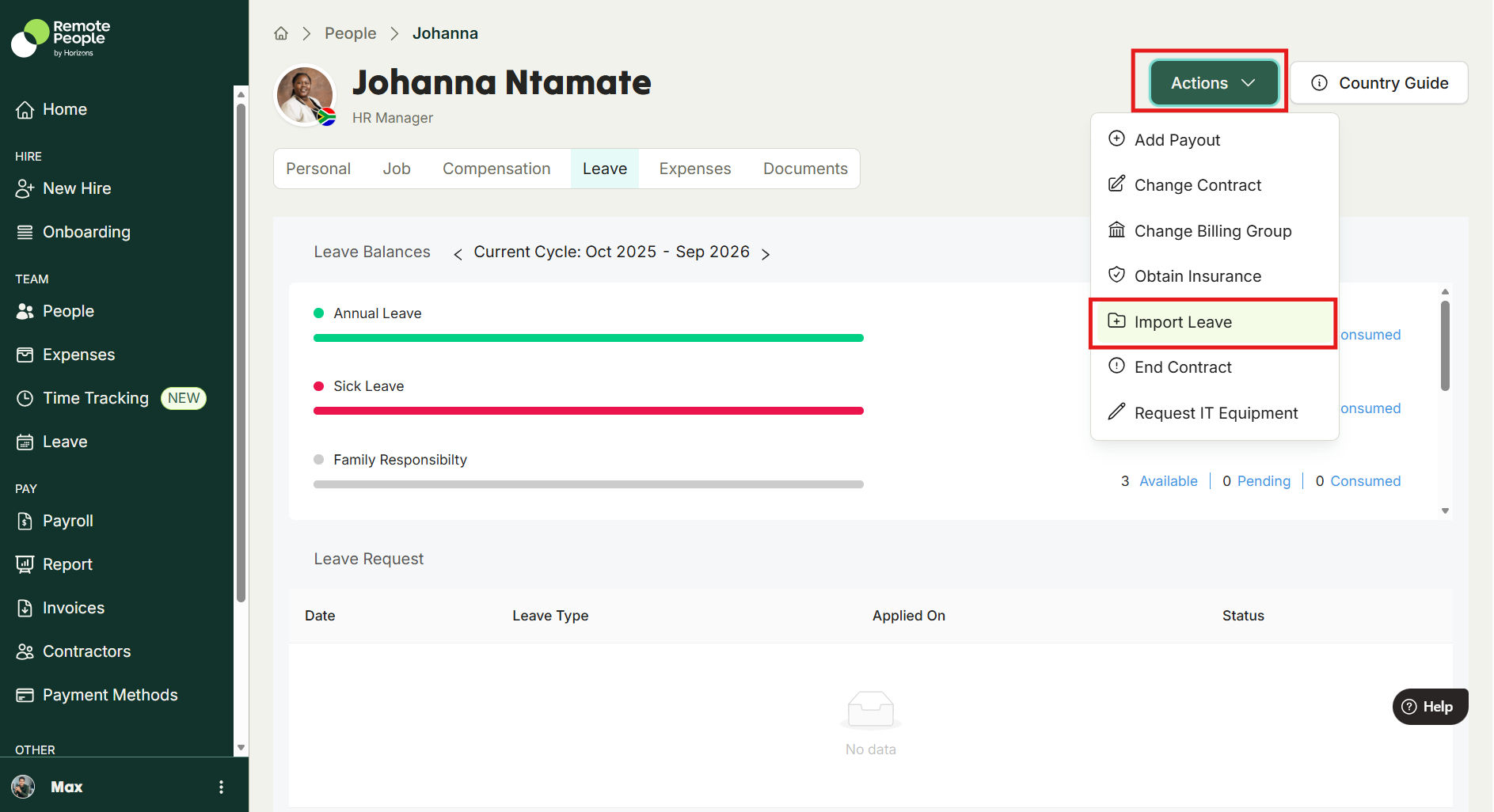
3. Click on the Action drop down menu on the top right corner. Next, select Import Employee Leaves Record to Download template in CSV in local driver.
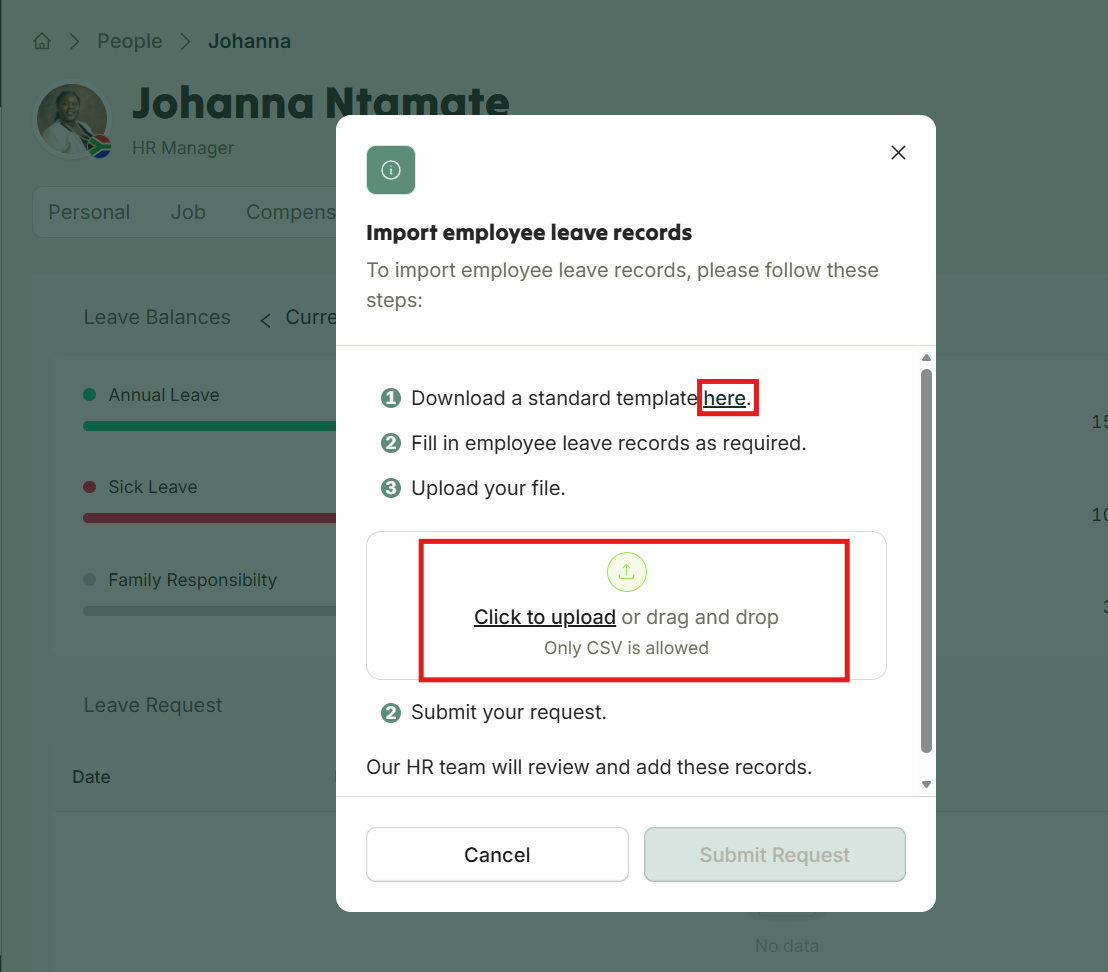
4. Fill out the leaves details in the template:

5. Upload back to the dialog and Submit the request.
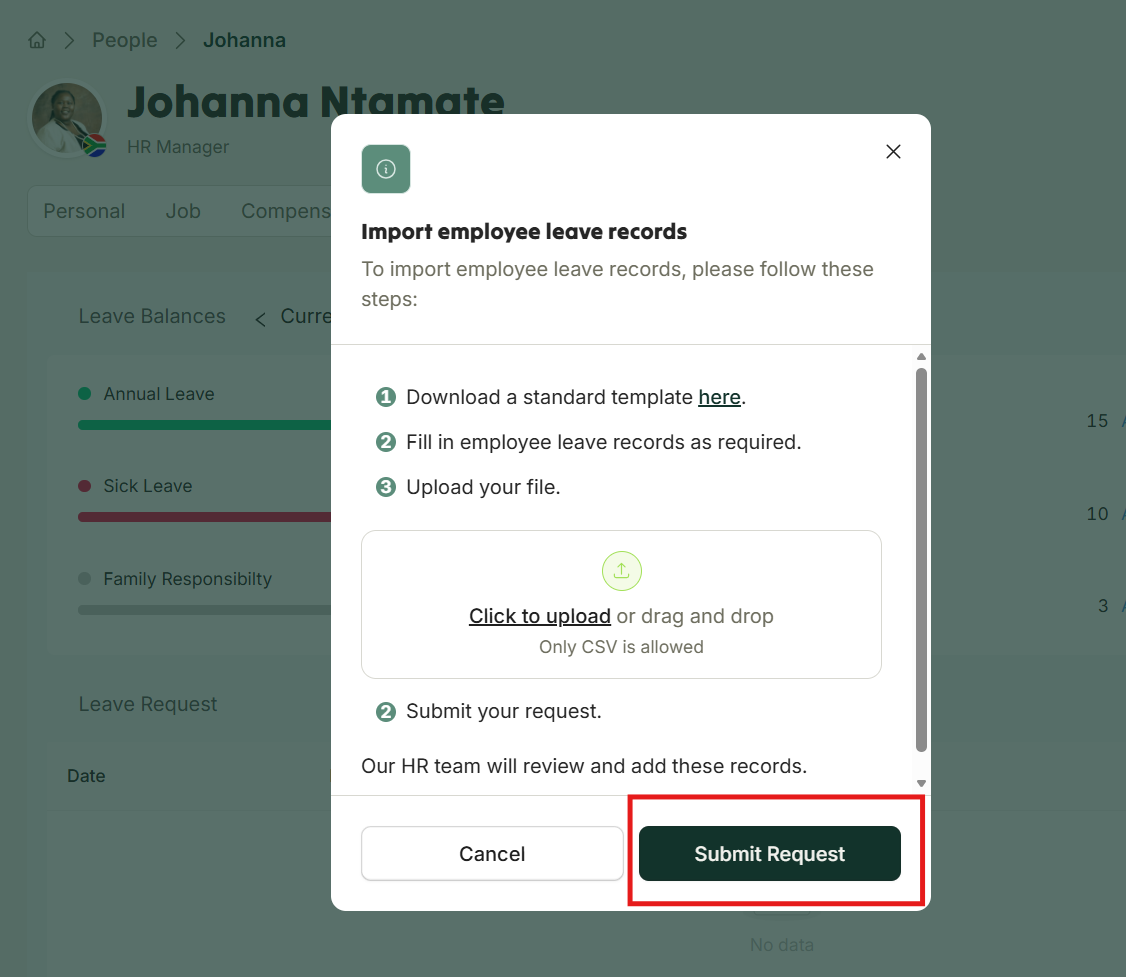
Horizon's team will review in cases any errors or duplication .
Was this article helpful?
That’s Great!
Thank you for your feedback
Sorry! We couldn't be helpful
Thank you for your feedback
Feedback sent
We appreciate your effort and will try to fix the article