
- For Team Members
- My Documents
How do I access my Documents?
Modified on: Thu, 26 Feb, 2026 at 3:58 PM
You can access your employment documents directly from your Remote People profile.
Follow the steps below:
Step 1: Log in to Your Remote People Profile
Sign in to your Remote People account.
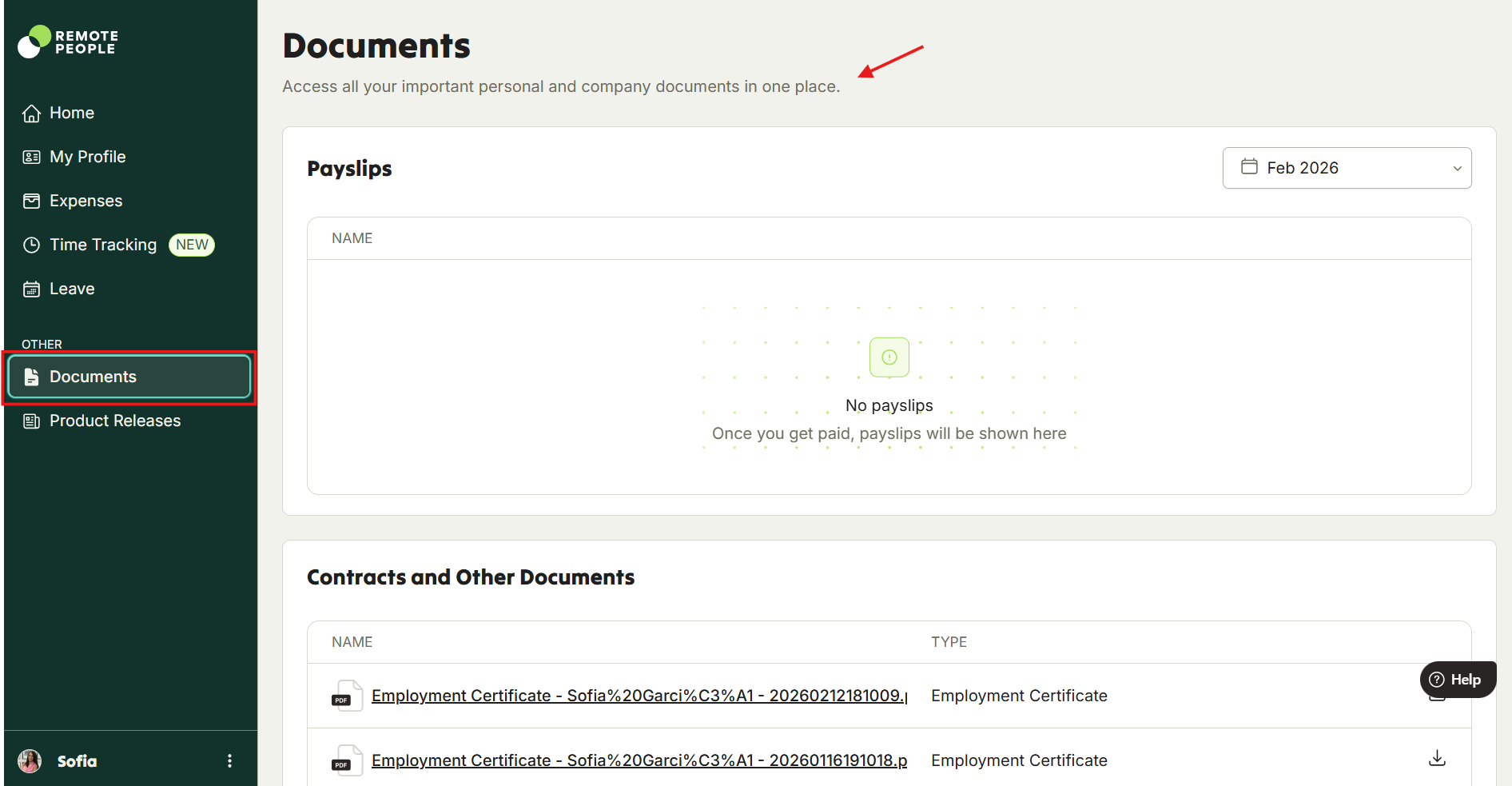
Step 2: Navigate to the Documents Section
From the left-hand sidebar menu:
Scroll to Other
Click on Documents
Step 3: View and Download Your Files
In the Documents section, you can scroll to locate and download files under the following categories:
Payslips
Contracts
Other Documents
Timesheets
Supporting Documents
Simply select the document you need to view or download it.
Was this article helpful?
That’s Great!
Thank you for your feedback
Sorry! We couldn't be helpful
Thank you for your feedback
Feedback sent
We appreciate your effort and will try to fix the article