
- For Team Members
- Timetracking
How to re submit a rejected time-tracking report?
Modified on: Fri, 30 Jan, 2026 at 3:22 PM
- Go to the Time Tracking tab on the left side panel
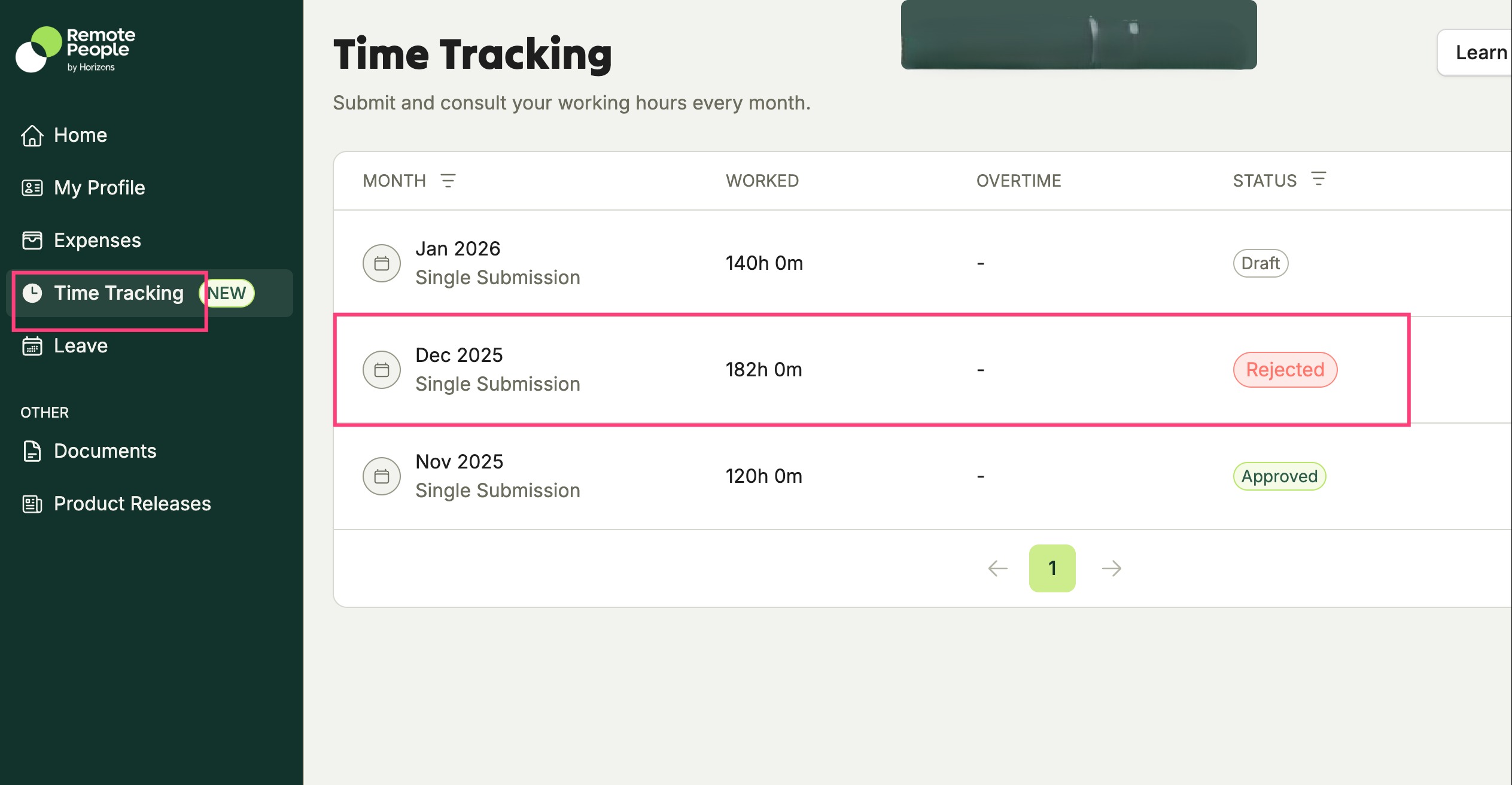
2. Open the submission with Rejected status.
The Re-submission button will be grayed out.
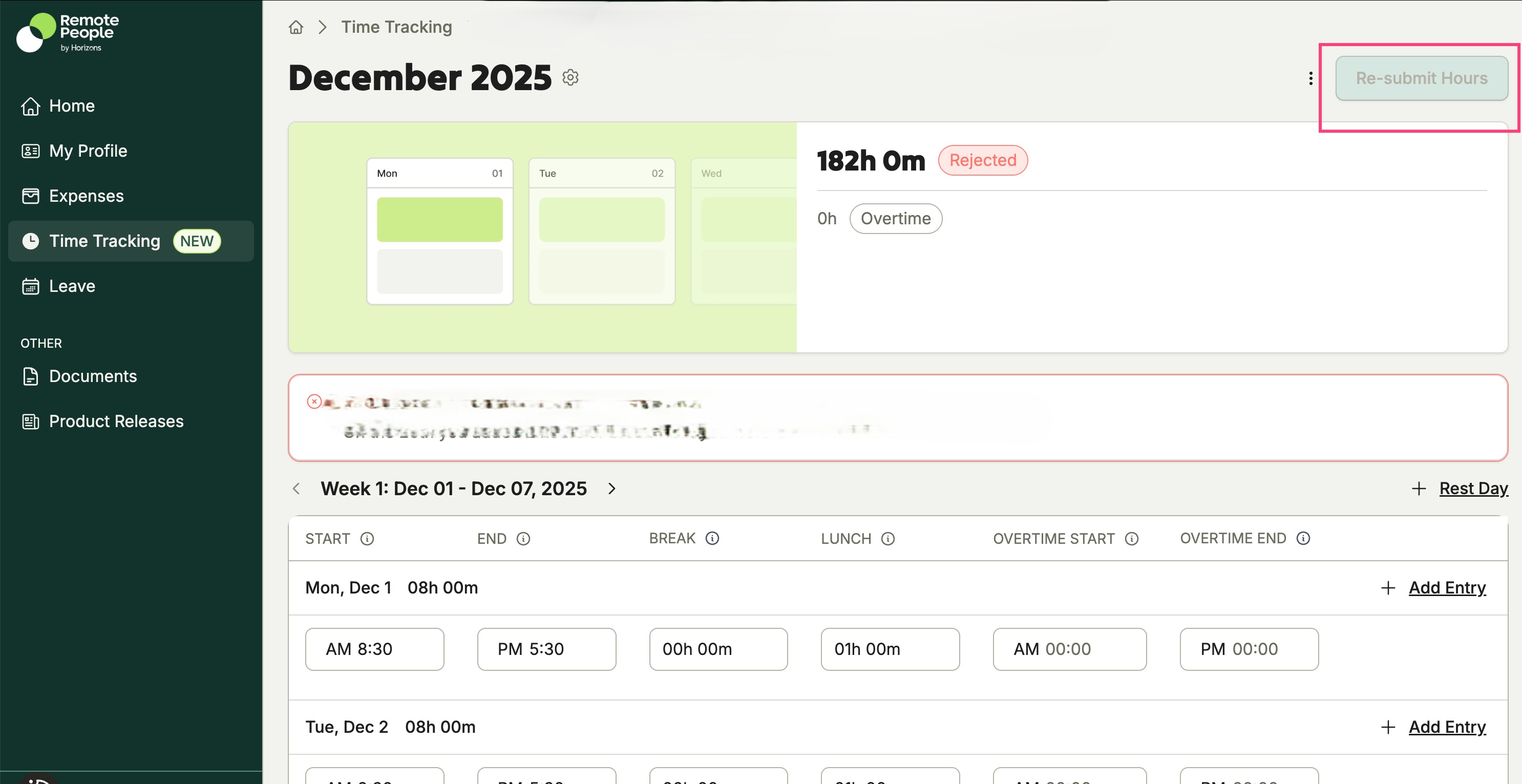
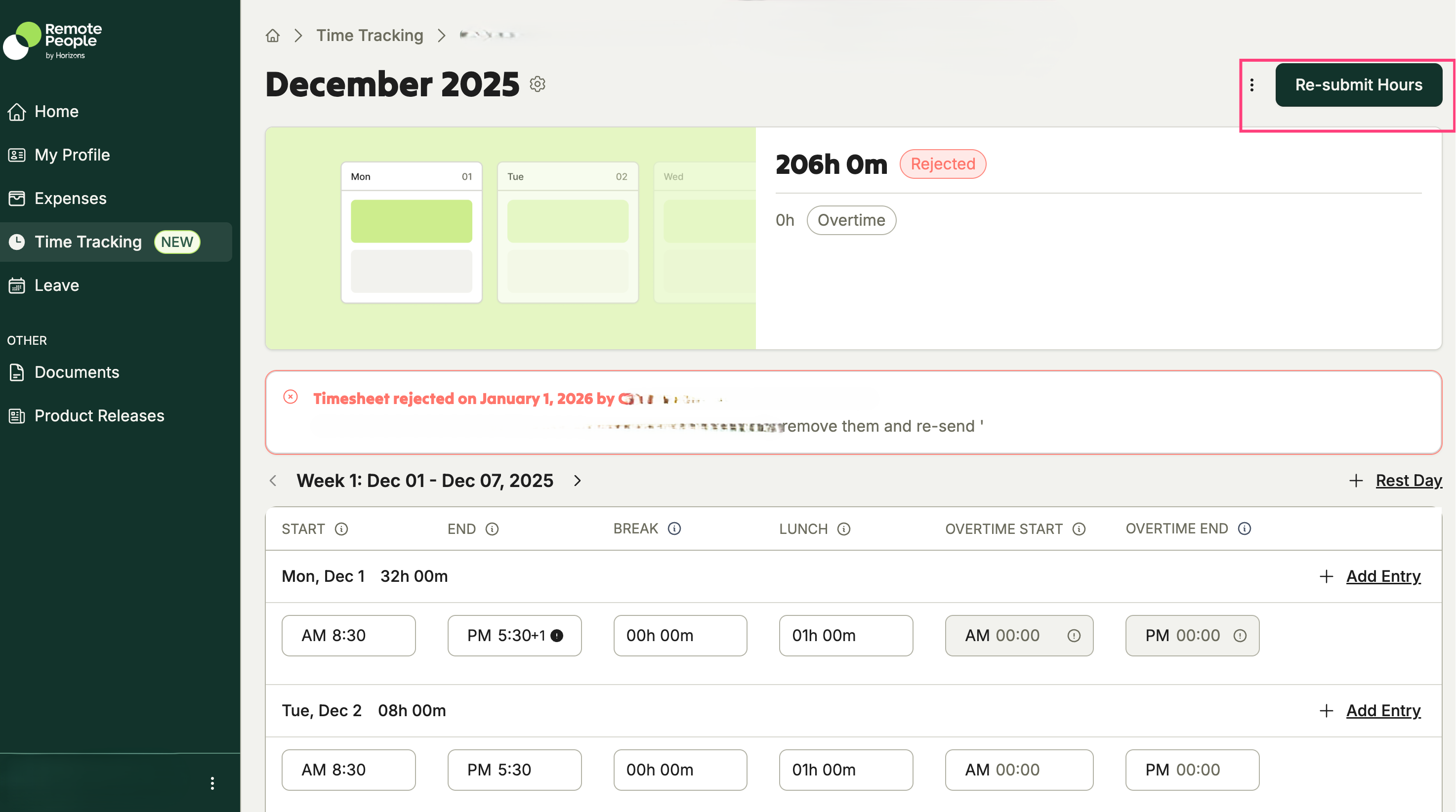
3. Complete your necessary changes to update the report, the Re-submit button will be activated.
Was this article helpful?
That’s Great!
Thank you for your feedback
Sorry! We couldn't be helpful
Thank you for your feedback
Feedback sent
We appreciate your effort and will try to fix the article