
- For Team Members
- My Time Off & Leave
How to cancel a leave request?
Modified on: Fri, 30 Jan, 2026 at 2:36 PM
You can cancel a leave request at any time before the leave start date by following these steps:
Sign in to the platform
Log in using your usual credentials.Go to the Leave section
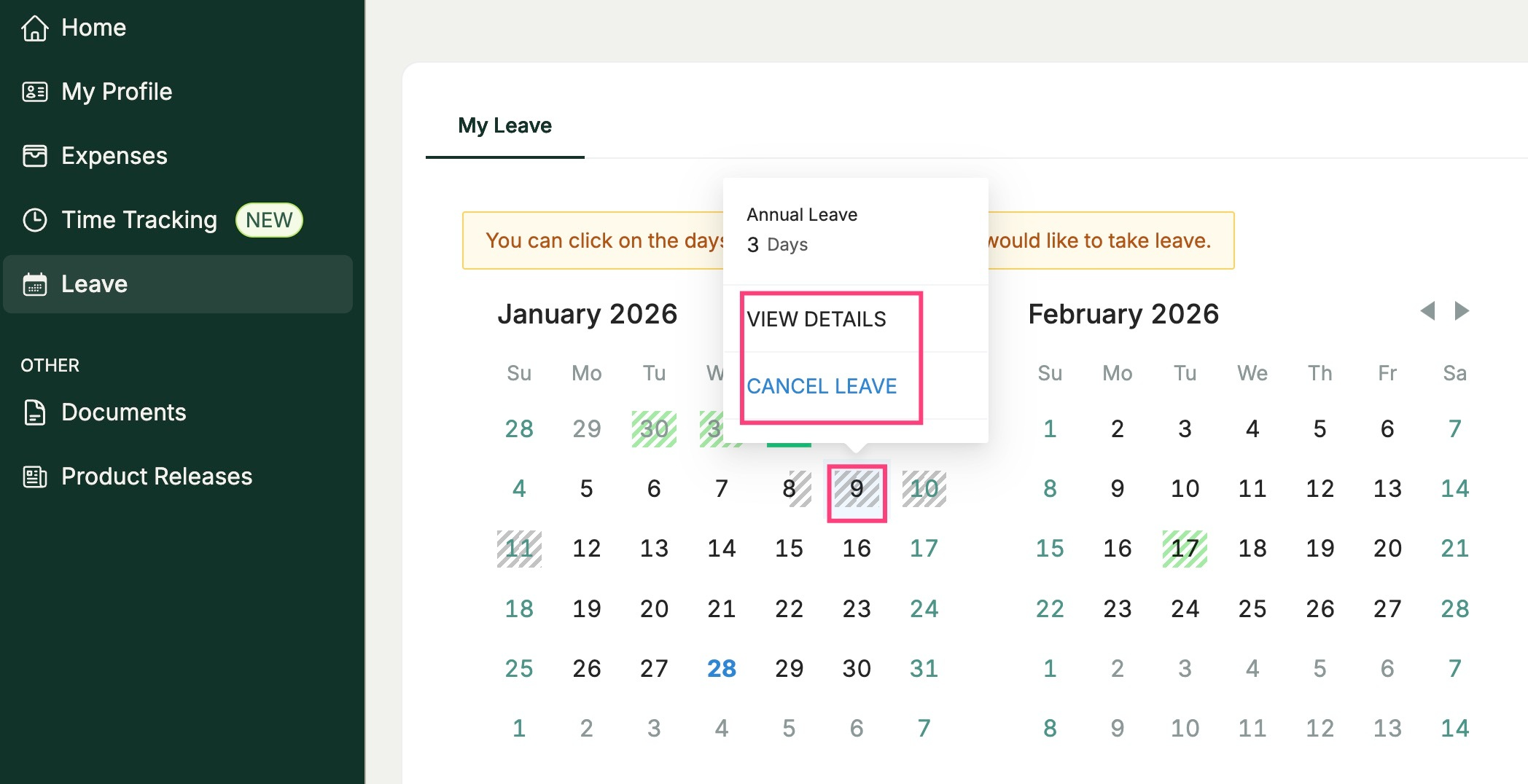
Select “Leave” from the main menu. This will open your personalized interactive leave calendar.Locate the leave period
Navigate to the dates that correspond to the leave request you want to cancel.Cancel the leave
Hover your cursor over any day within the selected leave period.
When the “Cancel” option appears, click it.Confirm your action
Confirm the cancellation when prompted.
What Happens Next
- The cancelled leave will no longer appear on your calendar.
- Cancelled leave days are not deducted from your annual leave balance.
Was this article helpful?
That’s Great!
Thank you for your feedback
Sorry! We couldn't be helpful
Thank you for your feedback
Feedback sent
We appreciate your effort and will try to fix the article